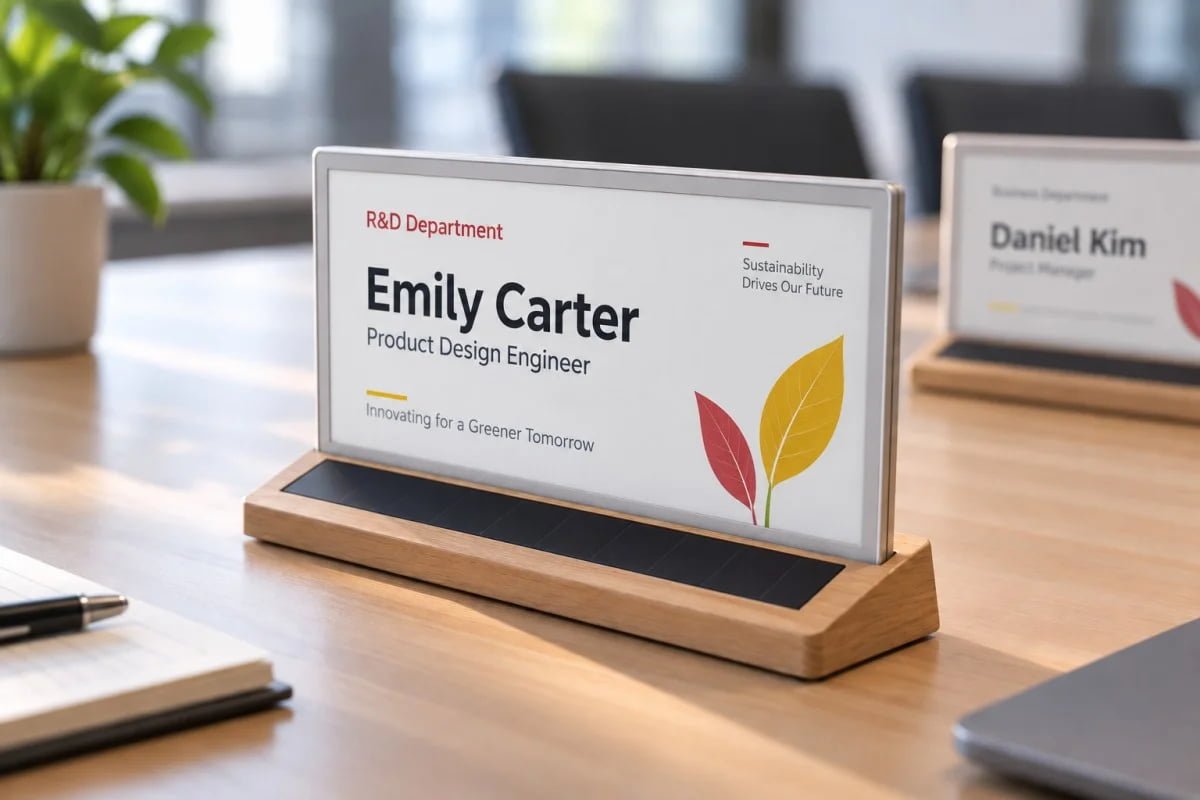
Illustrative product/application image. Final appearance and configuration are subject to confirmation.
Solar-powered nameplates for boardroom meetings can provide a reusable way to show names and roles at assigned seats. The useful outcome is a room that is correctly prepared when participants arrive, with a clear process for late changes. We recommend planning that process before choosing a display size or ordering a fleet of devices.
An E-Ink nameplate combines a display with a content-update workflow. Indoor photovoltaic charging can contribute energy when the selected configuration and available light are suitable. It does not remove the need to confirm storage, backup charging and the operating conditions of the finished product.
Define what each seat should show
For a formal meeting, the primary information may be a person’s name, role and organization. Decide which field takes priority and which can be omitted when a name is unusually long. A busy layout can be harder to read even on a larger display.
Prepare a few representative examples: the longest expected name, a multi-line job title and a name using the required language or character set. Review them in the actual room from typical seated positions. Do not approve the layout only from a close-up on a laptop.
Keep the approved roster separate from device assignment
A meeting roster identifies people. A seating plan identifies positions. A device register identifies physical nameplates. Connecting these records makes changes easier to check without confusing a person with a particular device.
Give each unit an operational identifier on its base or storage position if the agreed product configuration permits it. The identifier does not need to appear in the participant-facing design. It helps the room team find and verify the correct unit during preparation.
Assign ownership for approval and updates
Choose who approves spelling and titles, who prepares the display content and who checks the room. These may be different people. A technically successful update can still show an outdated title if the roster was never approved.
Agree a cutoff for routine changes and a clear route for exceptions. For an illustrative workflow, the meeting organizer approves the roster, an administrator prepares the nameplates and the room host checks every physical seat before opening. This is a proposed process, not an existing software integration.
A pre-meeting check that catches common errors
| Check | What the room team confirms |
|---|---|
| Identity | Name, title and organization match the approved roster |
| Position | The nameplate is at the intended seat |
| Appearance | Long names, line breaks and logos remain clear |
| Update | The required content is visible on the physical display |
| Readiness | The device is prepared for the planned meeting and changes |
Retain a simple seating record for the room host. It can help resolve a moved device or an unexpected attendee without rebuilding the entire seating plan during the meeting.
Prepare for a late arrival or a seat change
Keep the approved content file available to the authorized operator and test the model’s actual update method before the event. Do not assume that every nameplate supports remote fleet updates, calendar synchronization or the same mobile workflow.
Decide on a fallback for a change that cannot be completed in time, such as an approved printed card. A fallback is part of a professional meeting process, rather than evidence that the reusable system has failed.
Test light where the nameplates are used and stored
Meeting-room lighting, table position and storage cupboards can produce different charging opportunities. Include the normal period between meetings and the place where devices wait. A room that looks bright to people does not by itself establish the device’s energy balance.
During a pilot, record update activity, any backup charging and readiness after storage. Ask us to confirm the selected model’s power arrangement against that routine. Avoid a promise of unlimited operation under every indoor light condition.
Choose the format after the room trial
Our solar-powered E-Ink nameplate page introduces 7.5-inch, 10.85-inch and customization options. Compare representative content and the physical footprint in your room; the diagonal size alone does not decide readability.
For a quotation, tell us the room layout, number of seats, languages, typical roster changes and available lighting. Discuss a boardroom nameplate pilot with us so we can confirm the configuration and preparation workflow before a wider order.