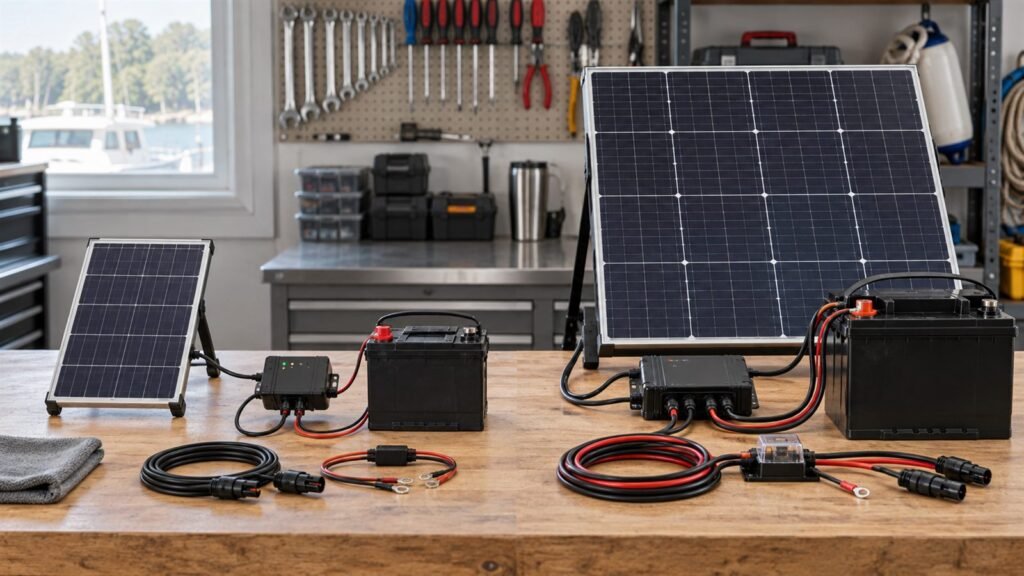
A connector that physically fits can still be wrong for the product. Polarity may be reversed, the pinout may differ, the cable may cause excessive voltage drop, or the connector may not tolerate the intended environment.
For a custom panel, the cable assembly should be treated as a defined product interface. It needs electrical, mechanical, and sourcing requirements just like the panel itself.
Begin With the Mating Interface
Identify what the panel connects to:
- A charging PCB
- A power-management module
- A battery-maintainer controller
- A portable power station
- An enclosure bulkhead connector
- A removable extension cable
- A customer-supplied wiring harness
Provide the manufacturer and exact part number for the mating connector when possible. Similar-looking connectors may differ in keying, dimensions, terminal system, sealing parts, or ratings.
A photograph can support identification, but it should not be the only specification.
Define Voltage and Current Conditions
The cable and connector must support the actual electrical conditions. Record:
- Maximum open-circuit voltage
- Expected operating voltage range
- Expected operating current
- Credible short-circuit or fault condition
- Charge-controller current limit
- Series or parallel panel configuration
- Whether connection or disconnection may occur under load
Use project-specific limits. Do not select a connector only from panel wattage, because two panels with the same power may operate at different voltage and current.
For connectors with published ratings, follow the manufacturer’s complete conditions. Current rating can depend on terminal, conductor size, temperature, housing, contact finish, and test method.
Confirm Polarity and Pinout
Polarity errors can prevent charging or damage equipment. The drawing should define polarity at both ends of the cable, viewed from an identified direction.
For a two-wire system, record conductor colors, connector cavity assignment, panel-side and load-side views, and polarity marking.
For multi-pin connectors, provide a full pinout. Do not assume wire color alone is enough.
A prototype check should verify polarity with a meter before the assembly is connected to the target electronics.
Select Cable Length From the Product Layout
Cable length affects routing, user handling, packed size, and voltage drop. Measure the real path, including bends, service loops, strain-relief entry, and movement.
Too short creates installation stress. Too long can add loss, bulk, tangling, and cost.
For voltage-drop review, the current travels through both the positive and negative conductors. The calculation therefore uses the complete circuit length, not only the one-way distance.
The acceptable drop depends on the charging architecture. A small loss can matter when the panel voltage is close to a charger’s startup or minimum operating threshold.
Choose Conductor Size and Cable Construction
Conductor size must support current and limit voltage drop while remaining practical for the connector and routing space.
Also consider flexing, bend radius, abrasion, temperature, UV exposure, jacket compatibility, chemical or salt exposure, and low-temperature flexibility.
These conditions are product-specific. Verify cable construction and ratings with the cable supplier rather than relying on a generic name.
Match the Connector to the Environment
An indoor embedded sensor, a hiking charger, and a marine product need different connector behavior.
Review mating cycles, user access, disconnect risk, keying, exposure to water, dust or salt, shock, vibration, tool clearance, and the need for a cap.
Do not assign an ingress-protection rating to the full solar product because one connector component carries a rating. The installed interface, mating part, cable seal, enclosure, and assembly process all affect the result.
Design Strain Relief and Cable Exit Together
The cable exit is often a failure point when it is treated as a late detail. Pulling, repeated bending, folding, or vibration can transfer stress to a solder joint or internal interconnect.
Define exit position, strain-relief length, allowed bend, pull direction, retention, clearance from mounting hardware, and storage for a foldable product.
The best solution depends on module construction. A small embedded panel may use a different exit method from a portable folding panel or semi-flexible vehicle module.
Consider Connector Availability and Change Control
An electrically suitable connector can still create supply risk. Ask whether the part is available in the production region, has a stable part number, needs separate terminals, requires special tooling, has an approved alternative, and how substitutions will be reviewed.
For an OEM project, the drawing or bill of materials should identify the approved part. A substitution should not be made from appearance alone.
What to Put on the Cable Drawing
| Item | What to define |
|---|---|
| Connector | Manufacturer, series, and part number |
| Mating reference | Target connector or equipment interface |
| Pinout | Contact assignment and viewing direction |
| Polarity | Positive/negative mapping and marking |
| Cable | Type, conductor size, jacket, and color |
| Length | Reference points and tolerance |
| Termination | Approved termination method |
| Strain relief | Geometry and pull direction |
| Environment | Relevant exposure and validation needs |
| Revision | Controlled drawing version |
For a simple two-wire lead, this can be one page. The value comes from removing ambiguity.
Prototype Tests for the Interface
Common checks include the correct connector, cable length, continuity, polarity, pinout, contact inspection, loaded voltage, mating trial, enclosure routing, pull or flex behavior, and operation with the actual charge circuit.
Any numeric acceptance limit should come from the product requirement, connector supplier, applicable standard, or an approved engineering decision.
Common Specification Mistakes
Naming only the connector family
A family can contain different keys, positions, terminals, seals, and materials. Use the exact part.
Copying a wire color without defining pinout
Wire color is an aid, not a substitute for an interface drawing.
Ignoring return-path length in voltage-drop calculations
Current flows through the complete loop.
Assuming a connector rating applies to the finished product
Assembly, cable, mating part, and enclosure affect performance.
Approving the cable away from the actual enclosure
A cable that passes a bench check may be too short, too stiff, or poorly oriented in the product.
FAQ
Can we use a customer-specified connector?
We offer connector customization for custom-panel projects. Feasibility depends on the exact component, sourcing, cable, assembly, and project quantity.
Does the connector determine voltage compatibility?
No. A matching connector does not confirm voltage range, current limit, polarity, or charging protocol.
How should cable length be measured?
Define the start and end reference points on the drawing and include a tolerance. Measure the routed path, not only straight-line distance.
Is a thicker cable always better?
Not automatically. It may reduce voltage drop but can be too stiff or incompatible with the connector and product space.
Next Step
Explore our small custom solar panel options. We can review a project-specific cable, connector, length, exit direction, voltage, and current. Share the mating-part number, pinout, routing drawing, electrical limits, and environment for an interface review.