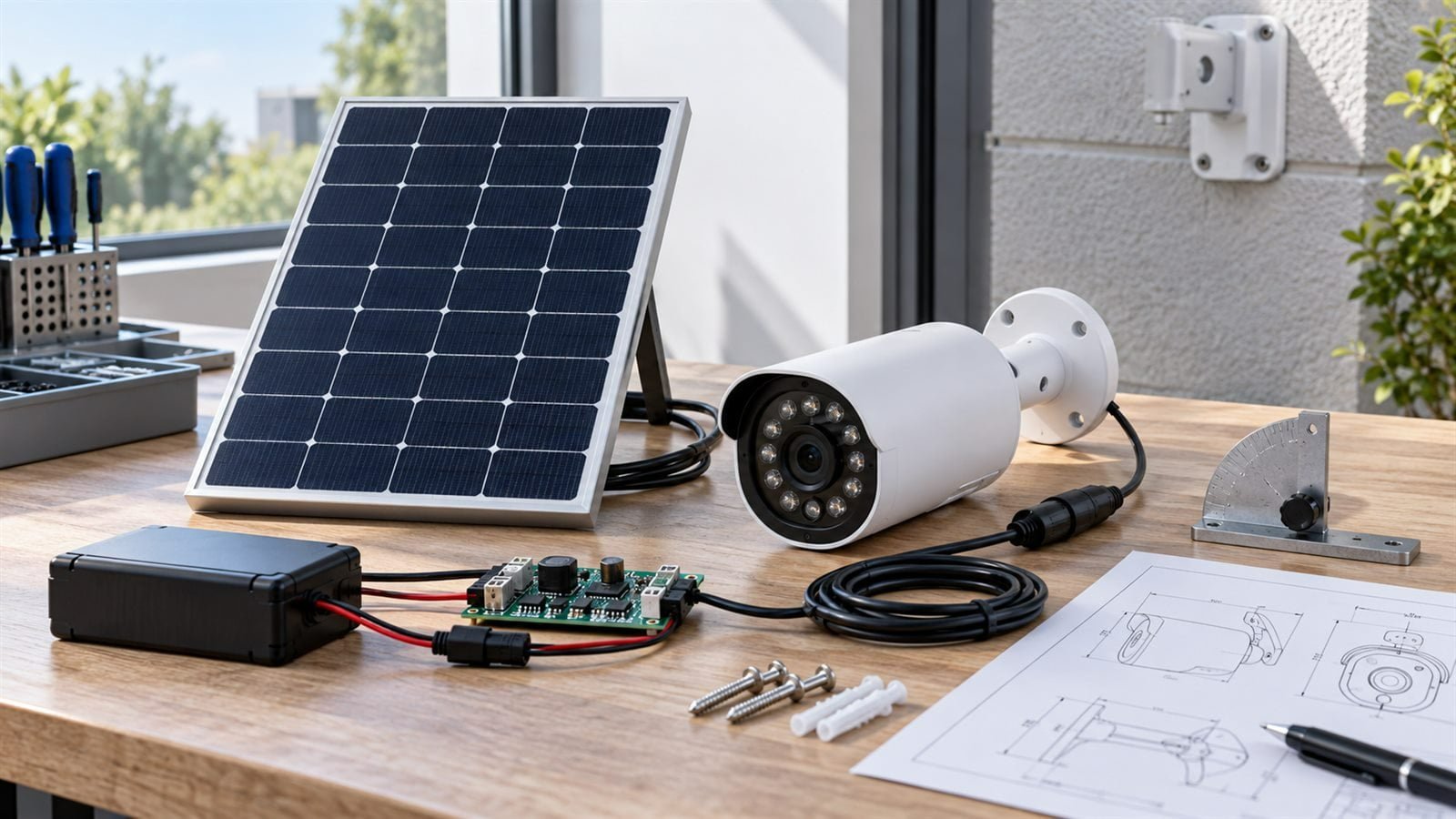
A solar panel for an outdoor security camera must recover the energy used by imaging, motion detection, wireless communication, night operation, standby electronics, and battery losses. Camera duty cycles are highly variable, so a panel selected only from a nominal wattage can perform well at one site and gradually discharge at another.
For OEM camera products, the solar module, battery, charging electronics, firmware, enclosure, and mounting position should be developed as one power system.
Map Every Camera Operating State
Measure power during standby, motion detection, image capture, video recording, local processing, wireless connection, live viewing, cloud upload, firmware update, and indicator activity. Include any pan, tilt, zoom, heater, fan, spotlight, or infrared illumination.
A camera that records short clips occasionally has a different requirement from one that supports frequent live viewing. Use real event data or a defined traffic scenario rather than an arbitrary daily average.
Night Vision Changes the Energy Budget
Infrared LEDs, white-light illumination, image processing, and long night recordings can dominate consumption while the solar panel produces no energy. The battery must support the entire dark period and still have enough reserve for multiple events.
Define expected night length, illumination mode, activation frequency, and recording duration. Where seasonal night length changes substantially, test the longest practical night rather than an annual average.
Account for Wireless Communication
Wi-Fi, cellular, and low-power wireless cameras have different consumption patterns. Weak signal can extend connection time and increase retransmissions. Uploading high-resolution video may use more energy than local recording.
Measure energy at representative signal strength. If the product uses cellular communication, include network registration and recovery after coverage loss. Firmware should limit repeated connection attempts when battery energy is low.
Define the Site’s Solar Access
Security cameras are often installed under eaves, beside walls, below trees, or on poles that cast shadows. The camera may face the monitored area while the panel needs a different orientation for sunlight.
Record the minimum seasonal solar access, panel angle, roof or wall shading, and likely user installation errors. A detachable panel may offer better positioning, while an integrated panel can simplify installation and appearance. Each approach has different cable and mounting risks.
Size the Battery for Events and Low-Sun Periods
The battery must cover nights, storms, shade, and periods of unusually high activity. Define autonomy from the site’s service access and the consequence of camera downtime.
Battery capacity should account for allowable discharge, temperature, aging, self-discharge, conversion losses, and peak current. A larger battery does not correct a persistent energy deficit; the panel still needs to produce a daily surplus under the chosen design conditions.
Match the Panel to the Charging Circuit
Provide the solar charger or PMIC model, battery chemistry, input range, maximum input voltage, and charging profile. The panel’s operating voltage must remain useful across light and temperature changes without exceeding circuit limits.
Measure input voltage and current at the charger after cable loss. Long external cables can reduce useful voltage, especially in compact low-power systems.
Integrated Versus Remote Solar Panels
Integrated panel
An integrated panel reduces cables and separate mounting hardware. It can produce a compact product but forces the camera and panel to share an orientation. The housing may also shade part of the module.
Remote panel
A remote panel can be positioned for better sunlight while the camera faces the monitoring area. It requires cable routing, weather-resistant connections, strain relief, and clear installation instructions.
The decision should follow typical installation geometry rather than appearance alone.
Select the Module Construction
Outdoor camera modules face UV, temperature cycling, humidity, water, wind, dirt, cleaning, and possible impact. Lightweight ETFE laminates or rigid glass modules may both be considered, depending on the housing and mounting structure.
Review complete construction and product-level sealing. A front surface does not by itself establish an IP rating. Any claimed rating must apply to the tested final camera assembly.
Plan Connectors and Cable Routing
Define cable type, length, connector, polarity, strain relief, bend radius, and entry point. Outdoor connectors should be protected from standing water and user misconnection. Avoid cable paths that encourage water to run directly into the housing.
For an integrated panel, confirm whether the cable exit conflicts with the antenna, battery compartment, bracket, or adhesive area.
Test Partial Shading and Dirt
Wall edges, gutters, leaves, snow, bird activity, and the mounting bracket can shade a small panel. Dust or water spots may reduce useful output. Test common shadow directions and realistic cleaning intervals.
If the module is installed at a shallow angle, consider drainage and debris accumulation in the mechanical design.
Use Firmware to Protect Energy Availability
Energy-aware operation can reduce the required panel area. The camera may shorten clips, reduce upload frequency, limit live viewing, disable nonessential lighting, or enter a lower-power mode when storage voltage falls.
These decisions should preserve the product’s essential security function. Define the priority of detection, recording, notification, and illumination before implementing energy-saving behavior.
Prototype Test Plan
- Measure every camera and communication state.
- Test the longest night and representative event load.
- Evaluate typical and weak wireless signal.
- Test panel output at realistic angle and shade.
- Verify hot and cold battery behavior.
- Measure cable voltage drop and connector stability.
- Run repeated day-and-night energy cycles.
- Test mounting, vibration, water exposure, and handling as required.
Information to Share With a Custom Panel Supplier
- Camera model and full power profile
- Night-vision and lighting behavior
- Wireless technology and upload pattern
- Battery and charging-circuit specifications
- Required autonomy
- Available dimensions and mounting orientation
- Integrated or remote panel architecture
- Cable, connector, and sealing requirements
- Site environment and likely shading
Frequently Asked Questions
How large should a solar panel be for a security camera?
Size depends on measured daily energy, night load, wireless activity, solar access, system losses, battery reserve, and available mounting area.
Can the camera run directly from the solar panel?
Most systems use a battery because camera loads vary and the device must operate at night or during shade.
Why does a solar camera discharge even on sunny days?
Possible causes include excessive events, live viewing, weak-network retries, poor panel orientation, shading, cable loss, high temperature, or an undersized module.
Is an integrated panel better than a separate panel?
Neither is universally better. Integrated designs simplify installation, while separate panels allow independent solar orientation.
Design for the Worst Ordinary Day
A robust solar camera is sized for realistic event activity, the least favorable normal season, and the actual installation geometry. Product-level testing should prove that energy harvested over repeated cycles is sufficient for the required security functions.
Explore our remote camera and security applications and custom small solar panel options. To evaluate a camera power profile and enclosure, discuss your solar camera project.